
SARS Diesel Rebate Calculator (South Africa)
Work out your on-land diesel rebate, officially the diesel refund, for farming, forestry or mining, including the fiddly pro-rata adjustment when your VAT period spans a rate change.
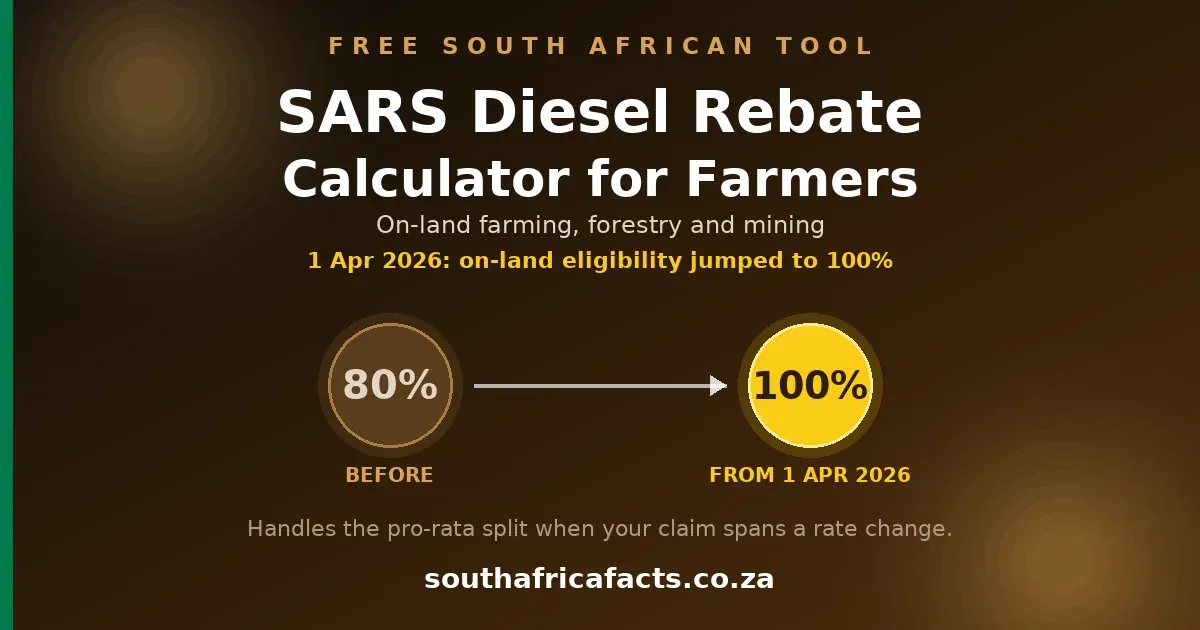
Works out the rand value of your on-land diesel rebate claim, officially called the diesel refund, for farming, forestry or mining under rebate item 670.04, for Part C of your VAT201. From 1 April 2026 the eligible share on-land jumped from 80% to 100%, and if your claim period straddles that date, or any other rate change, the litres either side have to be adjusted onto the same footing before they're added together. That is the fiddly part most farmers, and most fleet software, get wrong. This tool does that adjustment for you, showing every step, using SARS's own published method.
Use this if your whole claim period falls on one side of a rate change, for example your entire VAT period is after 1 July 2026.
Diesel used for anything outside qualifying on-land farming, forestry or mining activity, for example carriage of goods for reward on a public road. This comes from your own logbook, the calculator does not judge what qualifies.
Where the litres before the change and the litres after it were bought under different rates or a different eligible share, SARS's own method (policy SE-DSL-02) is to scale the BEFORE litres by a factor so they sit on the same footing as the AFTER litres, add the two together, then apply the current rate to the combined eligible total. It is not a simple average, and it is not two separate refund sums added up. The worked steps below show exactly how the factor is built.
The earlier stretch of your claim period.
The last stretch of your claim period, the one running up to the end of the VAT period.
Pick the rate in force at the end of your claim period. That is what SARS's method means by the current rate, and for a late or back-dated claim it is not the same as the rate in force today. The row marked (current) is simply the newest rate on record.
It very likely does. Between April and July 2026 the on-land rate changed four times, so a two-month VAT period covering May and June 2026 contains two changes, and a six-month Category D period, the category reserved for farming enterprises under R1.5 million turnover, running March to August 2026 contains four. Two boxes are not enough for that on their own.
Work through it one change at a time. Enter your two earliest stretches above, then press the button below: the combined, already adjusted total is carried into the Before box and you enter the next stretch on the right. Repeat for each change.
Worth being straight with you about this one. SARS's published policy, SE-DSL-02, works through a single rate change, it does not set out a method for a period containing several. Applying its factor one change at a time is that same arithmetic extended, not a separate SARS-published method. It lands within a few litres of scaling every stretch onto the final rate in one pass, across 200,000 randomised three and four stretch tests the two routes never differed by more than 4 litres, roughly R15. If your period spans several changes and the claim is a large one, it is worth having your accountant confirm the approach before you file.
These two figures are the only ones SARS's system asks you to type in, Part C's other fields, including the eligible litres and the refund amount, are greyed out and calculated automatically from these.
This calculator turns litres you have already classified in your own logbook into the rand value SARS's method produces, it does not decide what counts as eligible or non-eligible use, that judgement and the logbook itself remain yours. It only covers On Land farming, forestry and mining under rebate item 670.04, Schedule 6 Part 3 Note 6, since forestry and mining share identical maths with farming. It is not a substitute for registering for the scheme (RAV01) or for professional advice, and does not fill in or submit your VAT201. Rate history verified against the Government Gazette. Last reviewed August 2026.
💬 Discuss this tool, or check the maths against your own claim, on the forum →
The part of the diesel rebate that trips farmers up
Working out a diesel rebate, officially the diesel refund, for a period that sits entirely on one side of a rate change is simple arithmetic, eligible litres times the rate. The part that genuinely catches farmers, bookkeepers and fleet software out is a claim period that straddles a change, most topically the 1 April 2026 move from an 80 percent eligible share to 100 percent for on-land farming, forestry and mining. SARS's own policy, SE-DSL-02, sets out a specific method for this, scale the litres from before the change by a factor built from both the old and new rate and the old and new eligible share, add them to the litres from after the change, then apply the current rate once to the combined total. It is not two separate refund sums added together, and it is not a simple average.
This calculator implements that exact method. The Split tab includes a one-click button that loads SARS's own worked example straight from the policy document and reproduces its stated result, R52,751, to the rand, so you can check the tool against the source before you trust it with your own numbers. Every step of the calculation is shown, including a cross-check that the litres from before the change are worth the same amount adjusted as they were under their own original rate, which is what proves the factor has not silently inflated or deflated your claim, worth knowing since the factor can come out above 1 when the newer rate happens to be lower than the older one, which has genuinely happened in 2026.
This tool covers On Land use, rebate item 670.04, farming, forestry and mining, which all share identical rates and maths under Note 6 of Schedule 6 Part 3. It does not cover the separate rules for offshore vessels, harbour vessels, rail or electricity generation. It also does not decide what counts as eligible or non-eligible diesel, that judgement, and the logbook behind it, stay with you and your own records. If you are also working out your fertiliser plan, our Fertiliser Calculator works out bags, cost and cost per kilogram of nutrient, or if it is your borehole pump running the bill up, our Borehole Pump Electricity Calculator breaks that down too. To see what the diesel itself is costing you per hour, per day and per hectare once this refund is taken off it, our Tractor Fuel Consumption Calculator works that out from your own burn rate. Browse all our free South African tools and calculators.
On-land diesel refund rate history (2026)
Every row below is taken directly from its own Government Gazette notice amending Schedule 6 Part 3 Note 6(b), not from secondary reporting. Farming, forestry and mining on land all share this same rate and eligible share.
| Period | Rate (c/l) | Eligible | Source |
|---|---|---|---|
| From 1 Jul 2026 (current) | 382.2 | 100% | 157.2c fuel levy + 225.0c RAF levy. Government Gazette 54678, Notice R.7479, 15 May 2026. |
| 3 Jun to 30 Jun 2026 | 303.8 | 100% | 78.8c fuel levy + 225.0c RAF levy. Government Gazette 54678, Notice R.7478, 15 May 2026. |
| 6 May to 2 Jun 2026 | 225.0 | 100% | Nil fuel levy + 225.0c RAF levy. Government Gazette 54609, Notice R.7427, 5 May 2026. |
| 1 Apr to 5 May 2026 | 262.2 | 100% | 37.2c fuel levy + 225.0c RAF levy. Government Gazette 54445, Notice R.7341, 1 Apr 2026. |
| 4 Jun 2025 to 31 Mar 2026 | 372.0 | 80% | 154.0c fuel levy + 218.0c RAF levy, on 80% of eligible purchases. SARS Legal-LSec-TA-2025-030, effective 4 Jun 2025. Earlier periods not yet verified. |
Frequently asked questions
Is it called a diesel rebate or a diesel refund?
Both, and farmers hear it both ways. SARS's own legislation and policy documents call it the diesel refund, under the Diesel Refund Scheme and rebate item 670.04 of Schedule 6 to the Customs and Excise Act. Out in farming and accounting circles it is almost always called the diesel rebate instead, and SARS itself uses that word too, since the mechanism is technically a rebate of the fuel levy and Road Accident Fund levy already folded into the diesel price, not a refund of the diesel itself. This calculator, and this page, use both terms for exactly that reason.
What changed with the diesel refund on 1 April 2026?
Before 1 April 2026, on-land primary sector users, farming, forestry and mining, could claim a refund on only 80 percent of their eligible diesel purchases. From 1 April 2026 that moved to 100 percent, under rebate item 670.04 of Schedule 6 to the Customs and Excise Act. SARS confirmed the change would first show up in practice on the April 2026 VAT return, which is filed in May 2026, which is exactly why so many farmers' first 100 percent return also needs the March litres adjusted onto the new footing, see the next question.
Why does my April 2026 return show a mix of 80% and 100%?
If your VAT period covers both March and April 2026, your March litres were bought under the old 80 percent rule and your April litres under the new 100 percent rule. SARS's own policy, SE-DSL-02, does not let you just add the two months together as they stand, the March litres first have to be scaled by a factor so they sit on the same footing as April's, then the two are combined and the current rate applied once to the combined eligible total. The Split tab above does exactly this and shows every step, including SARS's own published worked example reproduced to the rand.
What if my VAT period spans more than one rate change?
For 2026 that is the normal case, not the exception. The on-land rate changed on 1 April, 6 May, 3 June and 1 July, so a two-month period covering May and June 2026 contains two changes, and a six-month Category D period, the category reserved for farming enterprises under R1.5 million turnover, running March to August 2026 contains four. Handle it one change at a time. Enter your two earliest stretches of the period on the Split tab, then press the button that carries the combined result into the Before box and enter the next stretch on the right. Repeat for each change. This works because the combined figure the tool produces is already expressed on the later rate's footing, so it can be fed straight back in. Be aware of one thing though: SE-DSL-02 itself works through a single rate change and does not publish a method for a period containing several, so applying its factor one change at a time is that same arithmetic extended rather than a separate SARS-published method. It comes within a few litres of scaling every stretch onto the final rate in one pass, across 200,000 randomised three and four stretch tests the two routes never differed by more than 4 litres, roughly R15. If the claim is a large one, have your accountant confirm the approach. What you should not do is lump several stretches together under a single rate and hope, on a realistic three-stretch 2026 period that guess lands anywhere from about R1,100 under to R3,000 over.
Which rate counts as the "current" rate in the calculation?
The one in force at the end of the claim period you are filing for, not the one in force on the day you sit down to do the sums. Those are the same thing when you file on time, and different when you file late or correct an old return. If you are working out a March and April 2026 period in August, the rate that gets applied to the combined litres is April's, not July's. The rate dropdown marks the newest rate on record as (current) purely so you can find it quickly, it is not a recommendation to select it.
What counts as eligible diesel for the on-land refund?
Diesel bought and used by the same VAT-registered vendor for a qualifying on-land activity, farming, forestry or mining, that the vendor's own logbook can support. Diesel used for something outside that, carriage of goods for reward on a public road is SARS's own example of a non-eligible use, is excluded. This calculator does not make that judgement call for you, it takes the totals your logbook already gives you and works out the rand value SARS's method produces.
What is the current diesel refund rate for farmers, and how is it made up?
From 1 Jul 2026 it is 382.2 cents per litre for on-land farming, forestry and mining, made up of a fuel levy portion and a Road Accident Fund, RAF, levy portion, both published in the Government Gazette. The RAF portion currently sits at 225.0 cents per litre, with the fuel levy portion making up the rest. One thing worth knowing if you compare the table below against the Gazette yourself: the fuel levy figure shown for on land is much smaller than the general fuel levy you actually pay at the pump, because on-land users get 40 per cent of that levy back against 100 per cent of the RAF levy. In the June 2025 notice, for instance, the on-land line reads 154,0 cents per litre fuel levy while the offshore line in the very same notice reads 385,0 cents, and 154,0 is exactly 40 per cent of 385,0. The table below quotes each notice's own wording. The rate table shows how this has actually moved through 2026.
Do forestry and mining get the same diesel refund as farming?
Yes. Rebate item 670.04 and Note 6 of Schedule 6 Part 3 group farming, forestry and mining together under the single heading "on land", with identical rates and the identical 100 percent eligible share. This calculator is written for farmers, but the maths is the same one, only the description of the qualifying activity differs.
Why did the diesel refund rate change so many times between April and July 2026?
The 100 percent eligible share, set from 1 April 2026, is a separate change from the fuel levy itself, which the Minister of Finance can adjust, and did adjust several times over that window with a temporary relief that was phased in and then unwound. The combined on-land rate moved from 382.2 cents per litre on 1 April, down to 262.2, then 225.0, then partly back up to 303.8, before returning to 382.2 from 1 July 2026. Every one of those steps was its own Government Gazette notice, all listed in the table below. This is not an annual event you should expect every year, some years the rate does not move at all, but any year it does, the same before-and-after adjustment applies.
What records do I need to keep for a diesel refund claim?
Two logbooks, a usage logbook and a storage logbook, that together show the full diesel trail from purchase to use. For storage, each receipt into storage, its date and quantity. For usage, per piece of equipment, the equipment's identification, its opening and closing kilometres or running hours, and the opening and closing litres held. Per fill, the date, place, quantity, and which eligible or non-eligible activity it was used for. SARS requires this, along with your purchase documentation, to be kept for five years from the date of the return, and claims themselves must be submitted within two years of the purchase date.
How do I register for the diesel refund scheme?
You need to already be a registered VAT vendor, then apply for the diesel refund itself by completing the RAV01 form on eFiling. Once registered, the refund is claimed through Part C of your ordinary VAT201 return, there is no separate return just for diesel.
Is SARS moving diesel refunds to a new system separate from VAT201?
A new, standalone Diesel Refund Registration System has been announced, intended to eventually decouple claims from the VAT201 process and add automated validation. As of SARS's own most recent update on it, the new registration system's opening had been pushed back to later than first communicated, and SARS's own current SE-DSL-02 policy, the same one this calculator's method comes from, still describes claims as going through Part C of the VAT201. Some blogs and fleet-software marketing pages already describe the new system as live, that is ahead of what SARS's own published policy confirms, so for now keep claiming through your VAT201 as usual and this page will be updated once SARS's own documents confirm the change.
Does this calculator submit my VAT201 for me?
No. It only works out the rand figure that SARS's own method produces from litres you have already classified in your logbook, so you can check it, or a fleet system's number, against the official calculation before you enter it on Part C of your VAT201 yourself. A "Copy these VAT201 Part C figures" button below your result copies exactly the two numbers, total purchases and non-eligible purchases, that Part C actually asks you to type in, each clearly labelled and written as plain digits so you can enter them without switching back to this page. You still type them into eFiling yourself.
This calculator turns litres you have already classified in your own logbook into the rand value SARS's published method produces. It is general information, not a substitute for professional advice, and it does not register you for the scheme, fill in, or submit your VAT201. Rate history verified against the Government Gazette. Last reviewed August 2026.