What Internet Speed Do I Actually Need? A South Africa Guide
Most SA homes are sold more speed than they need. Work out the right download and upload for your household, and whether fibre or fixed wireless fits.
Ask three different salespeople what internet speed you need and you will get three different answers, usually the one that suits the package they want to sell. The honest truth is that most South African homes need less speed than they are sold, and the number on the deal is only half the story. Here is how to work out what you actually need, in plain terms, before you sign anything.
The short answer
For most homes, somewhere between 25 and 100 Mbps is plenty. A single person or a couple who browse and stream one show at a time are comfortable on about 25 Mbps. A typical family with a few phones, a TV or two and the odd video call sits happily on 50 Mbps. You only really need 200 Mbps or more if several people stream 4K at the same time, someone games in the cloud, or the house is full of heavy users at once. Past roughly 100 Mbps, a normal home rarely feels the difference, so paying for a bigger number is often money spent on headroom you never touch.
Why the headline speed is only half the story
A connection does not struggle because the number is small, it struggles when too many things happen at once. Your speed is shared across everything using the line at that moment. One 4K stream might use about 25 Mbps, an HD stream about 5, a video call about 4, and a few people browsing a couple of Mbps each. On a quiet afternoon a small line copes fine. At half past seven in the evening, when the TV is on, someone is on a call and two people are scrolling, those numbers add up fast. That busy moment, not the average, is what you should size your connection around.
This is also why two homes on the same speed can have very different experiences. A 50 Mbps line is generous for two people and tight for six. When you picture your needs, picture your busiest evening, not a typical one.
A rough guide by household
Use this as a starting point, then adjust for how much happens at the same time in your home.
| Your home | Aim for (download) | Upload | Notes |
|---|---|---|---|
| One person or a couple, light use | 20 to 25 Mbps | 2 to 5 Mbps | Browsing, social and one stream at a time. |
| Small family, a couple of screens | 50 Mbps | 5 to 10 Mbps | Two streams, phones and the odd video call. |
| Busy family, streaming and working from home | 100 Mbps | 10 Mbps | 4K on the TV, a work call and a gamer, all at once. |
| Heavy household, everything at once | 200 Mbps or more | 20 Mbps or more | Several 4K streams or cloud gaming across many people. |
| Content creator or lots of uploads | Modest is fine | 20 Mbps or more | The upload matters more than the download here, so lean towards fibre. |
Not sure where you fit?
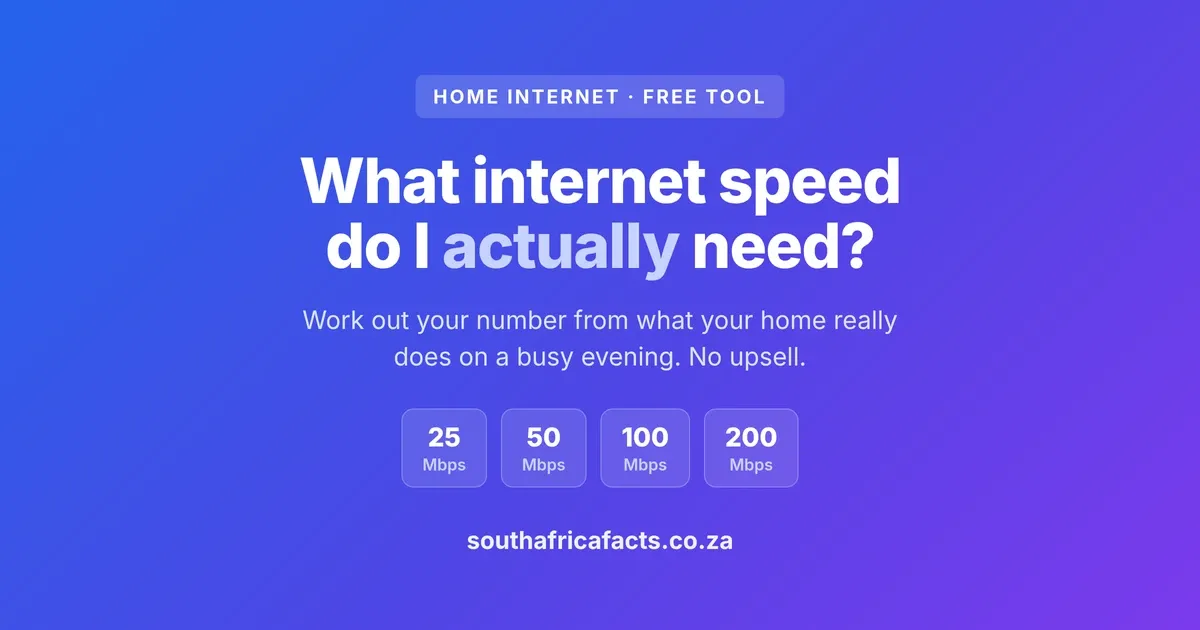
Tell our free tool what your home does on a busy evening and it works out an honest download and upload speed to aim for, then points you at the cheapest deal to match.
Is 25, 50 or 100 Mbps enough?
These are the three speeds people ask about most, so here is the short version. 25 Mbps is enough for one or two people who browse and stream one show at a time. 50 Mbps is enough for most families, covering a couple of streams, phones and the odd video call together. 100 Mbps is plenty for a busy home that streams 4K while someone works and someone games, and past it most homes rarely feel the difference. For context, Netflix uses about 5 Mbps for an HD stream and roughly 25 Mbps for 4K, a video call about 4 Mbps, and online gaming almost nothing, so it is how many of these run at the same time, not any single one, that decides whether a speed is enough.
Uploads, the half nobody mentions
Almost every advert shouts about download speed and stays quiet about upload, the speed at which your line sends data out. For years that made sense, because we mostly pulled things down. Now uploads matter. A video call needs a steady few Mbps upward, or the other side sees you freeze. Cloud backups, sending big files, live streaming and home security cameras all lean on upload too. If you work from home or push a lot of data up, check the upload figure on a deal, not just the headline download. Good fibre often gives you a healthy upload, sometimes the same as the download, while 5G and LTE tend to give you far less upstream than down.
Gaming and video calls, where ping beats speed
Here is a surprise for many people. Online gaming barely uses any data at all. What competitive games need is a low, steady ping, the time it takes a signal to travel to the server and back. A fast line with a jumpy ping feels worse than a slower line with a rock-steady one. The same goes for video calls, which care more about a stable connection than a big number. If gaming or daily calls are important in your home, a consistent connection is worth more than raw speed, and that points you towards fibre.
Fibre or 5G and LTE, which one
If fibre reaches your home, it is usually the better choice, because it gives you steady speeds, a low and consistent ping, and generous uploads. Fixed wireless over 5G and LTE has come a long way and is a genuine option, especially where fibre is not available, but the speed depends on the tower near you and how busy it is, so it can wander during peak times. For gaming, working from home and heavy simultaneous use, fibre has the edge. For a lighter home, or where fibre simply is not laid yet, 5G or LTE does the job well.
Once you know your target speed, compare the actual deals. Our home fibre comparison ranks the cheapest provider on your network for the speed you want, and our 5G and LTE comparison does the same for fixed wireless, router cost and all.
The "uncapped" catch on wireless
On fixed wireless, uncapped rarely means truly unlimited at full speed. Most plans run at full speed up to a fair-use threshold, then slow you down for the rest of the month. The quoted speed is a ceiling too, a good-day figure rather than a promise, because it depends on the signal at your address. None of this makes wireless a bad deal, it just means you should read the fair-use limit and treat the speed as best effort. Our comparison tool shows the fair-use threshold for each plan so you are not caught out.
How to actually make your internet feel faster
If your connection feels slow, a bigger speed is often not the fix. Past your real need, the things that improve daily life are a stable line, a decent upload and good WiFi inside the house. A cheap or badly placed router, thick walls, or a home full of devices on old WiFi will bottleneck a fast line long before the speed does. Before you upgrade, it is worth checking whether your WiFi, and not your line, is the real limit. You can also see how your connection is set up with our network inspector, and test whether a faster DNS makes pages load quicker with our DNS benchmark.
Work out your number, then find the deal
The right speed is the one that carries your busiest evening without a fuss, and no more. Our free internet speed tool turns what your home actually does into a sensible download and upload target, tells you whether fibre or fixed wireless suits you better, and sends you to the deals that fit. If you rely on mobile data too, our mobile data price comparison finds the cheapest bundle for how much you use.
This is a general guide to sizing a home internet connection in South Africa, using typical per-activity data rates. Your real experience also depends on your WiFi, router, wiring and provider, so treat the numbers as a sensible starting point rather than a guarantee. Last reviewed July 2026.
What do you think?
Join the conversation on our South African community forum. Share your perspective, ask a question, or just say hello.